
HIPOPOTAMYA, A DIFFERENT UTOPIA IN THE GAME WORLD!

PlayStation 20 EURO Gift Card (GER)
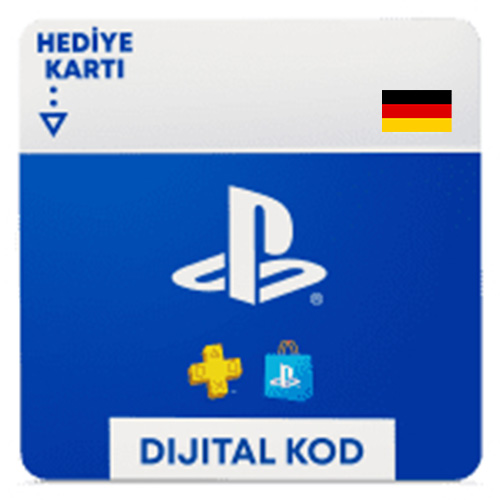
PlayStation 20 EURO Gift Card (GER)


884.25 TL
20 EURO PlayStation Network Card olarak teslim edilir.

🎮 Gift Card Nedir?

Gift Card, dijital veya fiziksel olarak sunulan, belirli bir platformun cüzdanına bakiye eklemenizi sağlayan ön ödemeli bir karttır. Bu kartlar ile oyunlar, DLC ve eklentiler, film, müzik ve diğer dijital içerikler gibi binlerce ürünü hızlı ve güvenli şekilde satın alabilirsiniz. Kredi kartı bilgisi paylaşmadan, yalnızca kodu kullanarak hesabınıza bakiye yüklemenizi sağlar.

🌟 Gift Card ile Neler Yapabilirsiniz?

  • 🎮 Platform mağazasındaki en yeni oyunları ve içerikleri satın alın.
  • ➕ Abonelik paketlerini aktif edin veya yenileyin (ör. çevrimiçi oyun abonelikleri, premium hizmetler).
  • 🎁 Oyun içi para birimi, kozmetik öğeler ve eklenti paketlerini edinin.
  • 🎬 Film, dizi ve müzik içeriklerini satın alın veya kiralayın.

📲 Gift Card Nasıl Kullanılır?

  1. Kodunuzu Edinin: Satın alma işleminden sonra “Siparişlerim” bölümünden kodunuzu görüntüleyin.
  2. Hesabınıza Giriş Yapın: Kartın geçerli olduğu platforma giriş yapın.
  3. Kodu Girin: “Kod Kullan / Redeem Code” bölümüne kodu girip onaylayın.
  4. Bakiye ile Alışveriş Yapın: Eklenen bakiyeyi dilediğiniz ürün veya hizmette kullanın.

💡 Gift Card Kullanmanın Avantajları

  • ⚡ Anında bakiye yükleme imkanı.
  • 💳 Kredi kartı bilgisi paylaşmadan güvenli alışveriş.
  • 🎯 İndirim ve kampanyalarda ekstra avantaj.
  • 🎁 Hediye olarak ideal seçenek.

Dijital eğlence dünyasında özgürce harcama yapmak için hemen Hipopotamya.com üzerinden Gift Card kodlarınızı satın alın ve platformunuzun sunduğu tüm içeriklerin keyfini çıkarın!


📝 HOW TO REDEEM A PLAYSTATION GIFT CARD

You can add the PlayStation Network Gift Card code purchased on Hipopotamya.com to your account in a few simple steps and immediately start purchasing whatever content you like on the PlayStation Store.

📌 Step-by-Step Usage Instructions

1

View Your Code

After completing your purchase, your digital code will be displayed instantly on the Hipopotamya > My Orders page.

2

Log In to Your PSN Account

Sign in to your PSN account from your PS5 or PS4 console, the PlayStation App mobile application, or via playstation.com.

3

Go to the Redeem Code Menu

🎮 PS5 Console PlayStation Store → Top-Right Menu (…) → Redeem Code
🎮 PS4 Console PlayStation Store → Bottom of Left Menu → Redeem Codes
📱 Mobile / Web PlayStation Store → Profile Icon → Redeem Code
4

Enter the Code and Confirm

Paste the purchased 12-digit PlayStation code into the box and click the Redeem / Continue button.

5

Start Using Your Balance

Once the balance is added to your account, you can immediately use it for all game, DLC, and subscription purchases on the PlayStation Store.

How to Use PlayStation Gift Card

📌 Important Information

  • Region Lock: Gift Card codes are region-specific. The region of the purchased code must match your PSN account's region (e.g., Turkey / TR) exactly.
  • Usage Rights: Each digital code is single-use and is transferred to your wallet upon activation.
  • Return Policy: Digitally delivered codes cannot be refunded once displayed to the user.
  • Tip: If you experience an issue during the code redemption process, logging out and logging back in on your console usually resolves the problem.

🎮 You can safely obtain your PlayStation Gift Card code on Hipopotamya.com to buy games, DLC packs, and subscriptions on the PlayStation Store!

0

Average Rating

0%Satisfaction (0 / 0)
0%
0%
0%
0%
0%

Information

The reviews in this area are real evaluation comments made by real users who have purchased these products.


Yükleniyor...

I'm Sorry!

Be the first to review!

Your stock requests will be supplied with priority and you will be informed.

Forgot your password?

Your personal data will be used to improve your experience on Hipopotamya, manage access to your account and for other purposes described below.

Do you want to become a dealer?

Log in using your social media account