



E-Pin Ürünleri
| Product Name | Stock | Unit Price | Quantity | Price | Order | |
|---|---|---|---|---|---|---|

|
Amazon Germany 5 EUR | 319.26 TL | 319.26 TL | Add to Cart |
Amazon Gift Card Germany EUR
Information
The reviews in this area are real evaluation comments made by real users who have purchased these products.

How to Add an Amazon Gift Card Code to Your Account?
Start shopping instantly by redeeming the Amazon Gift Card code purchased from Hipopotamya.com to your account.
🛒 1) Purchasing an Amazon Gift Card via Hipopotamya.Com
- After logging into our website Hipopotamya.com, navigate to the "Amazon Gift Card" category using the search bar.
- Select the balance package that fits your needs, add it to your cart, and complete your payment.
- Following your payment, your gift card code will be delivered instantly under the My Account → My Orders tab.
💳 2) Amazon Gift Card Redemption Steps
1) Go to www.amazon.com.tr and log into your account with your credentials.
2) Find the "Gift Cards" or "Hediye Kartları" tab under your account settings.
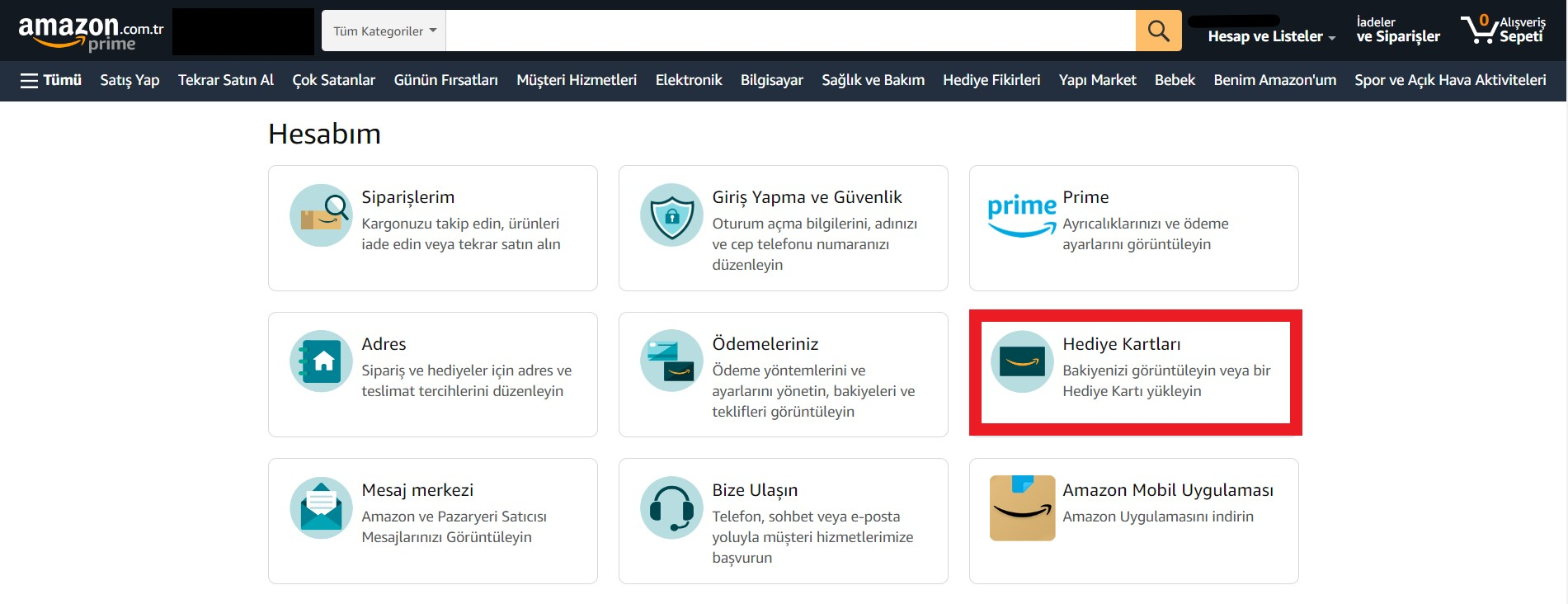
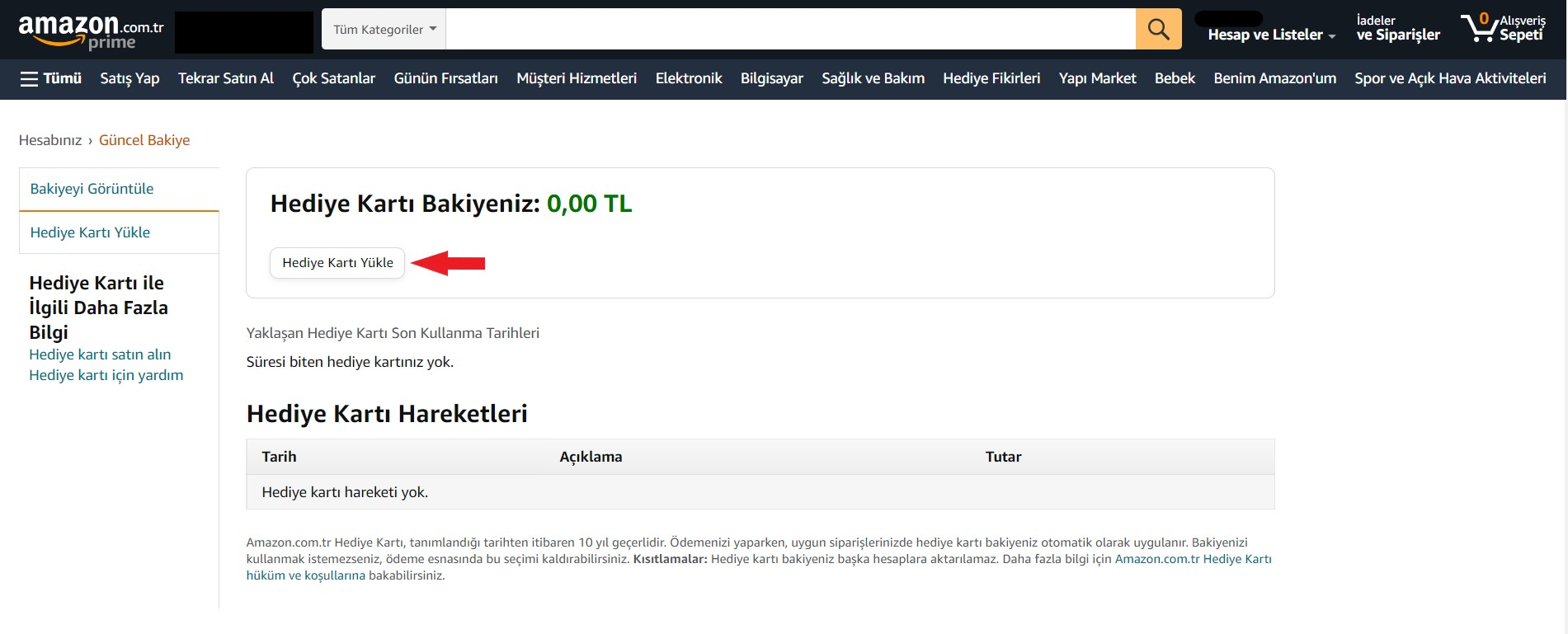
3) On the page that opens, click the "Add Gift Card" or "Hediye Kartı Bakiye Ekle" option.
4) Paste the Amazon Gift Card code you purchased from Hipopotamya into the designated field and click the "Apply to Balance" button.
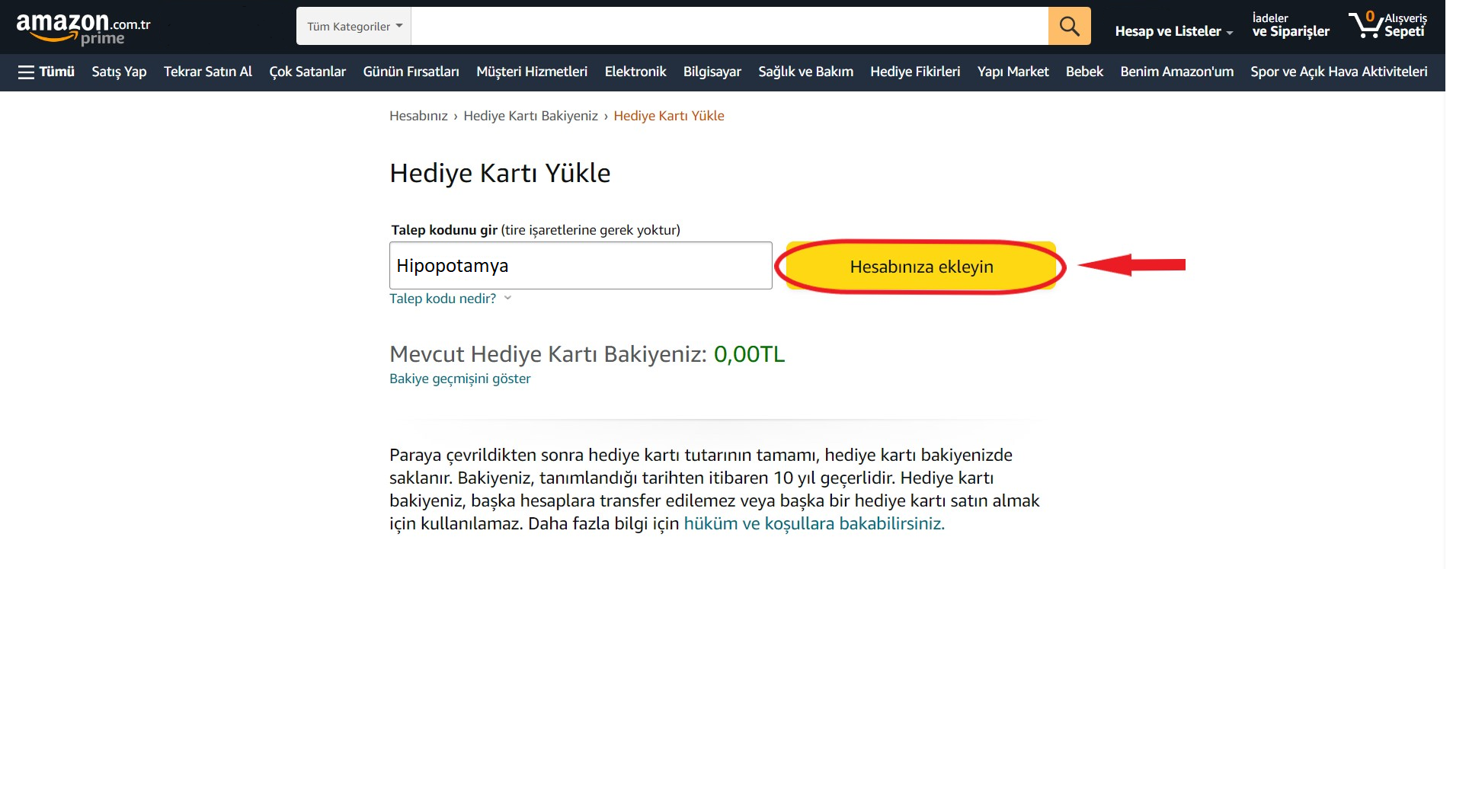

Top up your Amazon Gift Card balance in seconds with Hipopotamya guarantee and enjoy shopping!
• Ensure there are no leading or trailing spaces when pasting the code.
• Minor differences in menu names may occur depending on Amazon interface updates.
❓ Frequently Asked Questions
Q: Where can I find the Amazon Gift Card code I purchased?
A: Once your payment is confirmed, your code is instantly delivered under the My Account → My Orders tab on Hipopotamya.com.
Q: Is there an expiration date for the Amazon balance?
A: Once redeemed to your account, loaded Amazon gift card balances can be used safely over a long period (with a 10-year validity period).
I'm Sorry!
Be the first to review!