
E-Pin Ürünleri

Product Name Stock Unit Price Quantity Price Order
Bronze Premium 30 Days Bronze Premium 30 Days Delivered as ESN code. 445.25 TL 445.25 TL Add to Cart
Gold Premium 30 Days Gold Premium 30 Days Delivered as ESN code. 1230.60 TL 1230.60 TL Add to Cart
Platinum Premium 30 Days Platinum Premium 30 Days Delivered as ESN code. 1724.10 TL 1724.10 TL Add to Cart

Knight Online Premium

Knight Online Premium E-Pin Packages

Compare Bronze, Gold and Platinum options at Hipopotamya when purchasing Knight Online Premium. Products in this category are listed as 30-day Premium services delivered as ESN codes. Review package contents, account compatibility and activation conditions together.

What is Knight Online Premium?

Premium is a time-limited Knight Online service whose benefits depend on the selected package. It is not freely spendable shop credit like Cash. Identify the service you need and review its current features before choosing.

Bronze, Gold and Platinum options

This category lists three different Premium products. The same listed duration does not mean identical contents. Compare current service descriptions and do not assume that features of another Premium type belong to your chosen product.

Check bonuses in the current description

Benefits involving experience, item drops, Noah gains or additional items depend on package terms. Do not base a purchase on percentages or gift amounts from old guides. Check any bonus credit restrictions and the service duration carefully.

ESN codes and account compatibility

Verify your game version and account before using a Premium product delivered as an ESN code. Do not assume that Steam and NTTGame services accept the same codes. Follow your selected product’s instructions for code redemption and Premium activation.

Choosing a Premium package

If you already have Premium, check the remaining duration and the new package’s activation conditions. Do not assume that durations automatically combine or that the new service will be queued. Premium should not be treated as unconditional access to every server or uninterrupted entry during maintenance.

Knight Online Premium frequently asked questions

What is the difference between Premium and Cash?

Premium is a time-limited service; Cash/NPoints are shop credit. Buying Cash alone does not activate Premium.

Which Premium packages are listed here?

Bronze Premium, Gold Premium and Platinum Premium 30-day products are listed. Refer to the product list for current prices and availability.

Does Premium guarantee queue-free access to every server?

No blanket guarantee applies. Server registration requirements, capacity and maintenance also matter. Check your selected package’s current access benefits with the official service.

Browse other Knight Online categories

24/7 live support

Contact our team through the live support area on our website for help choosing Premium and questions about code delivery or your order.

Information

The reviews in this area are real evaluation comments made by real users who have purchased these products.

Yükleniyor animasyon

I'm Sorry!

Be the first to review!

How to redeem Knight Online NPoints (Cash)

These instructions cover an ESN code delivered for NTTGame. Redeeming credit and purchasing Premium or items in the Power Up Store are separate actions.

Official source and support ↗

Prepare your ESN code

Retrieve the delivered code from Hipopotamya My Orders. Check compatibility with your NTTGame account; do not assume a Steam Knight Online code is interchangeable.

Check your NTTGame account

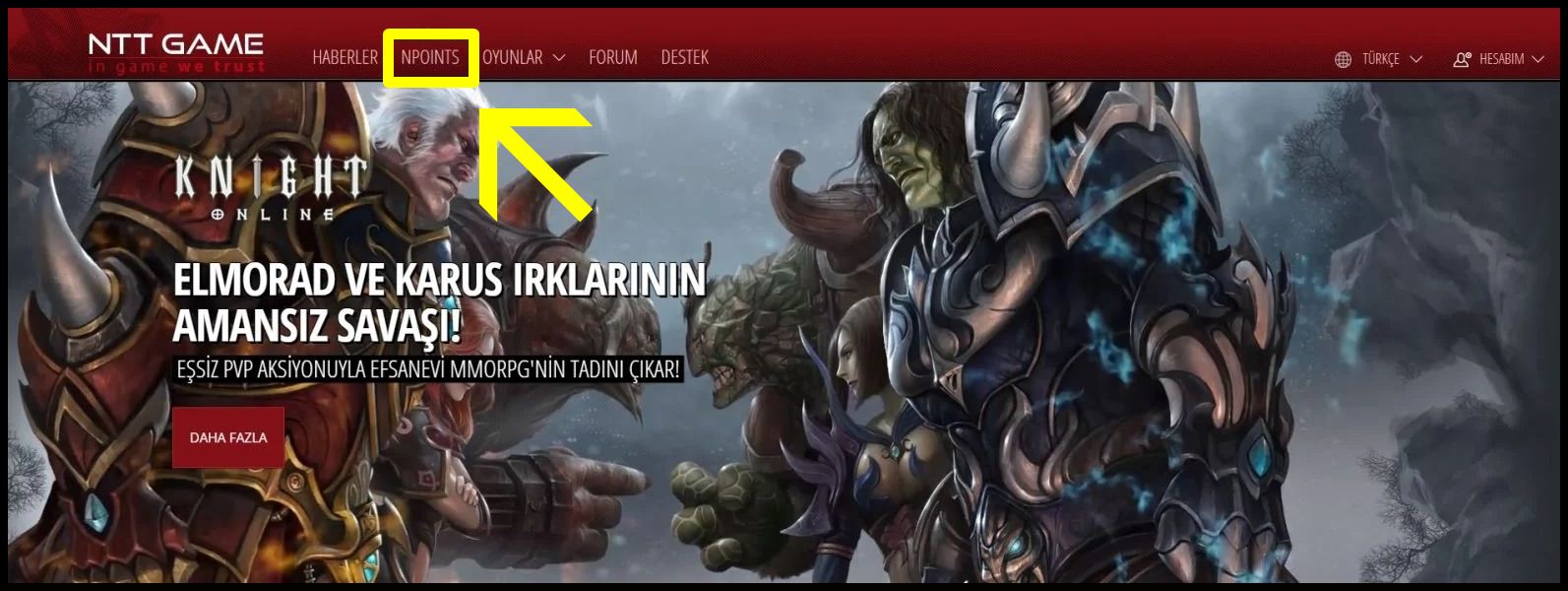
Sign in to the intended account at nttgame.com and open NPoints. Alternatively, use the Recharge NPoints link in the in-game Power Up Store.

Example NTTGame NPoints menu
NPoints menu example from the source guide. The layout may change; check the intended NTTGame account.

Redeem using ESN

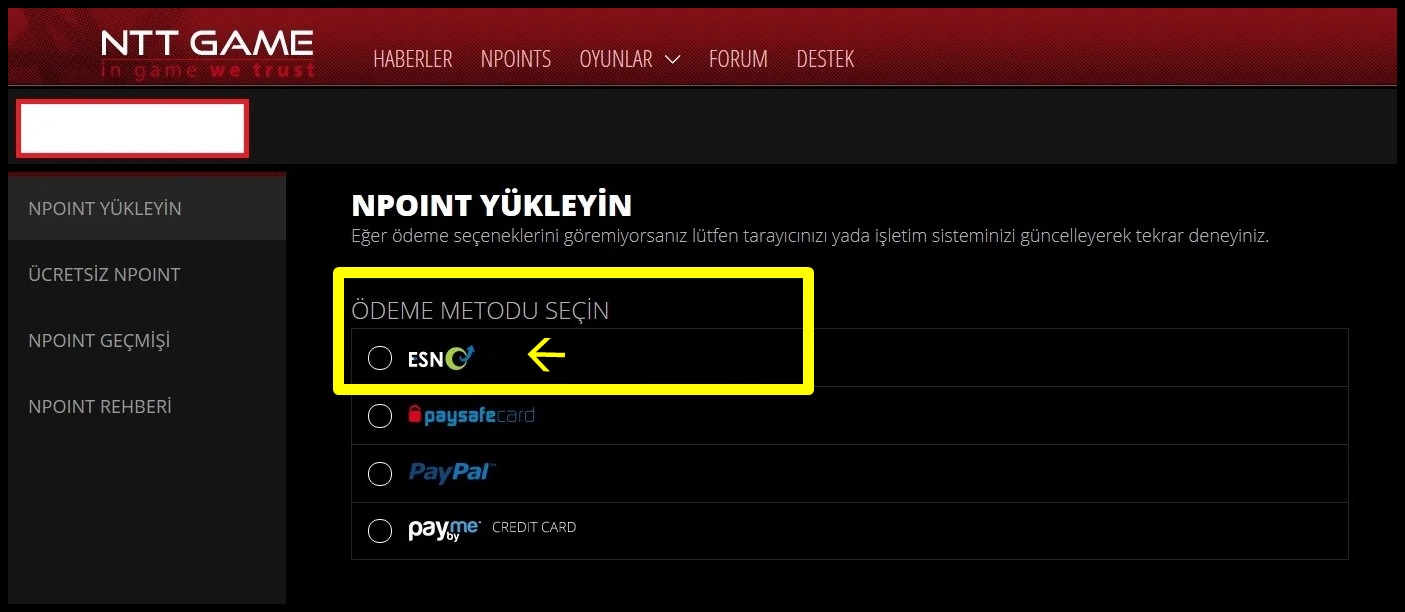
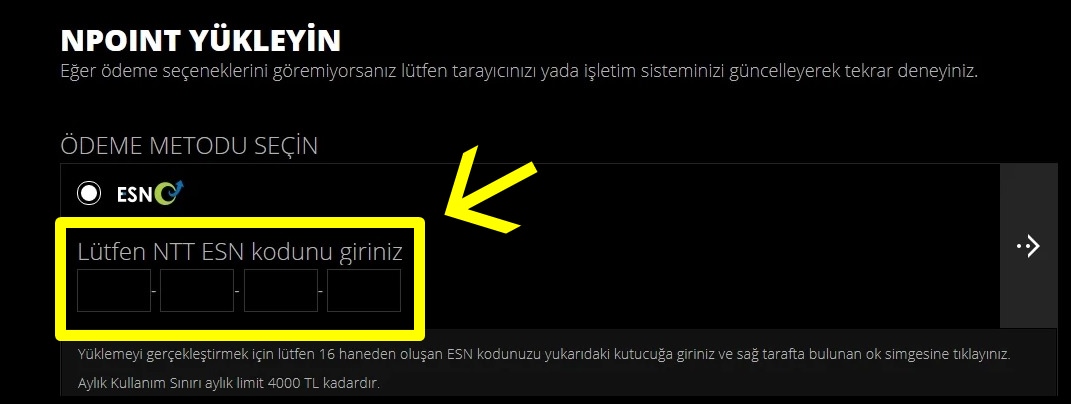
If ESN / Prepaid Card ESN is available, select it and enter the complete delivered code. Recheck the account before confirming. If this option is missing, do not treat your code as another payment type.

Example ESN payment method screen
ESN method example from the source guide. The current signed-in payment screen could not be independently verified; do not enter the code into another method if ESN is unavailable.
Example ESN code field
Example code entry screen; do not copy the illustrated values. Use only the code delivered with your own order.

Check credit, then the store

Review the result and NPoint balance. You can then purchase an eligible item or service in the Power Up Store; redeeming a code alone does not activate Premium.

Redemption questions

What if the code is rejected?

Check NTTGame/Steam compatibility, missing characters and extra spaces. Contact support with your order information and error message.

What if the ESN screen looks different?

Use the official store link. Labels can change; do not enter the code into unrelated payment-provider or promotional-code forms.

HipopotamyaBrowse Knight Online CashChoose the appropriate version and delivery type.

24/7 live support

Use our website’s live support area for order questions.

Hipopotamya