


HyoCard 1 Credit AfkBot
AFK BOT
AfkBot - HyoCard
It is a type of koxp & bot used temporarily to level up faster and earn game money (GOLD BAR).
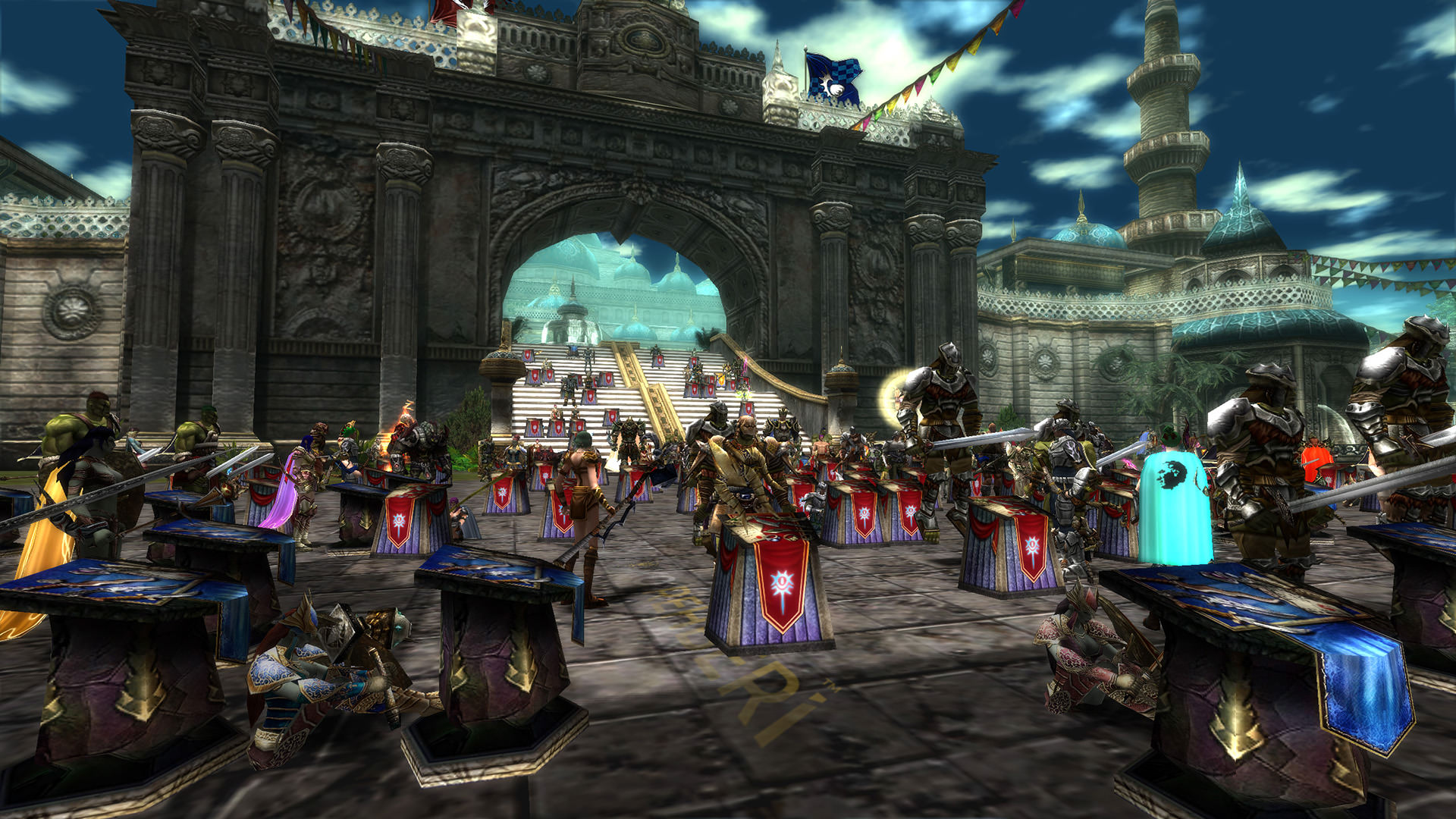
What is Knight Online Premium Item?
• These are products used to increase EXP and in-game currency (Noah) gain, allow 24/7 access to the game, increase item drop rates, and provide bonus items, credits, costumes, and various accessories.
What Do Premium and Cash Do?
When you buy Premium, you can register on new servers, create characters, and gain Premium access to the game and all servers. You can enter the game more easily than non-Premium players. You earn more EXP and progress faster. We recommend getting Premium and Cash for faster progression and a smoother gaming experience. Premium players can access all servers including new ones like (ZERO - AGARTHA - PANDORA - FELIS) without waiting in queues. Additionally, the in-game item upgrade (+ enhancing) system supports up to 30 items. After 30 item upgrades, you need to perform a (RELOG), which means exiting and re-entering the game. Once you re-enter, your rights are renewed. The best advantage of Premium is that after a RELOG, you can enter the game without waiting in the queue. The list and features of Premium are as follows.
BRONZE PREMIUM 
Enter the game without waiting.
Increases EXP by 20% for Levels 1-83.
Item drop rate increases.
Lose less EXP when your character dies.
Products sold to NPCs are more expensive.
50% discount on item repair costs.
+5 NP for each kill.
Valid for 30 days.
GOLD PREMIUM
Enter the game without waiting.
1 Trina (Item upgrade material to increase upgrade chances)
Increases EXP by 30% for Levels 1-83.
Item drop rate increases.
Lose less EXP when your character dies.
Products sold to NPCs are more expensive.
Get an extra Noah bonus.
+5 NP for each kill.
Valid for 30 days.
PLATINUM PREMIUM
Enter the game without waiting.
Level 1-50: +400% EXP
Level 51-83: +100% EXP
Get an extra Noah bonus.
1 Trina (Item upgrade material to increase upgrade chances)
Item drop rate increases.
+5 NP for each kill.
Valid for 30 days.
DC PREMIUM
Enter the game without waiting.
+30% EXP for Levels 1-83.
Item drop rate increases.
Lose 2.5% less EXP when your character dies.
Products sold to NPCs are 150% more expensive.
50% discount on item repair costs.
Get an extra Noah bonus.
+12 NP for each kill.
Golden Mattock Voucher (1-month usage) for mining.
Free use of DC Flash items (extra material to increase item drop rate).
Access to DC Store (premium potions and buffs).
30x Magic Hammer.
1 Trina (Item upgrade material to increase upgrade chances)
Valid for 30 days.
EXP PREMIUM
Enter the game without waiting.
Level 1-50: +400% EXP
Level 51-60: +300% EXP
Level 61-70: +200% EXP
Level 71-83: +120% EXP
EXP Flash available for additional EXP gain of +50% to +80% until Level 80.
Item drop rate increases.
Lose 1% less EXP when your character dies.
Products sold to NPCs are 150% more expensive.
Get an extra Noah bonus.
+12 NP for each kill.
Fishing rod premium (30 days).
1 Trina (Item upgrade material to increase upgrade chances)
Access to EXP Store (premium potions and buffs).
10 Magic Hammers.
Valid for 30 days.
WAR PREMIUM
Enter the game without waiting.
Increases EXP by 100% for Levels 1-83.
Item drop rate increases.
Lose 2.5% less EXP when your character dies.
Products sold to NPCs are more expensive.
50% discount on item repair costs.
Get an extra Noah bonus.
+15 NP for each kill.
War Flash (obtained by fishing): Gain 1-10 NP extra for each player killed.
Fishing rod premium (30 days).
Free reset of stat and skill points.
Valid for 30 days.
SWITCHING PREMIUM
With SWITCH Premium, you can use DC, WAR, and EXP Premiums together. This package allows you to switch between the three Premium types within the game. SWITCH Premium itself does not have any unique features, it has the same benefits as DC, WAR, and EXP Premium.
AfkBot Credit: What is & How to Buy / Redeem It?
Credits used on the AfkBot platform are e-pin license codes used to define your bot usage duration and benefit from automated game assistant features.
🛒 1) Purchasing AfkBot Credits via Hipopotamya.Com
- After logging into our site Hipopotamya.Com, type "AfkBot" in the search bar to go to the relevant category.
- Select the AfkBot Credit / Duration package that fits your needs, add it to your cart, and complete your payment.
- Once your payment is confirmed, your AfkBot E-Pin code will be displayed instantly under the My Account → My Orders tab.
- Stock Status Warning: In case of temporary out-of-stock situations on our site, you can activate the "Notify Me" option or track current stock updates.
🎮 2) How to Redeem AfkBot Credits?
1) Go to the official AfkBot website at http://www.afkbot.com and click on the "Login" tab.
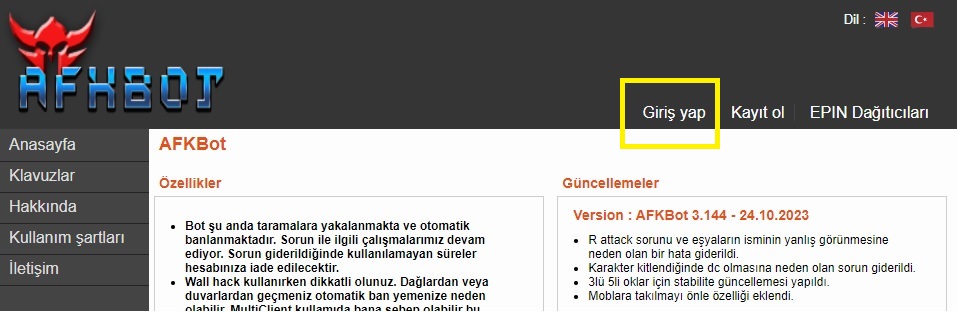
2) Enter your account credentials and click the "Login" button.
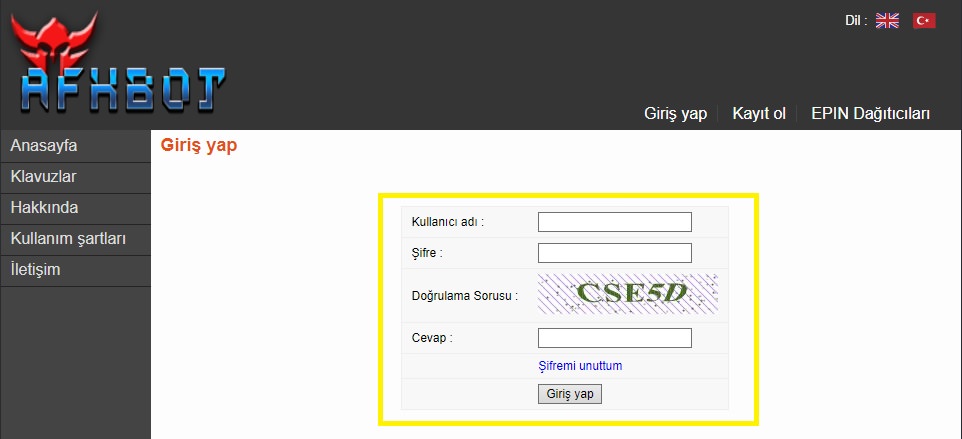
3) Click on the "Load Credit" tab located in your user panel.
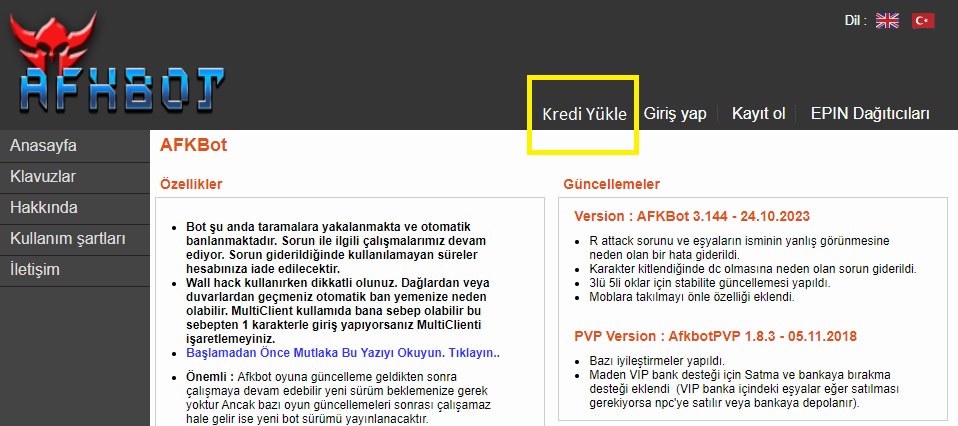
4) Enter the E-Pin code you purchased from Hipopotamya.Com accurately into the designated field and click the "Redeem E-PIN" button.
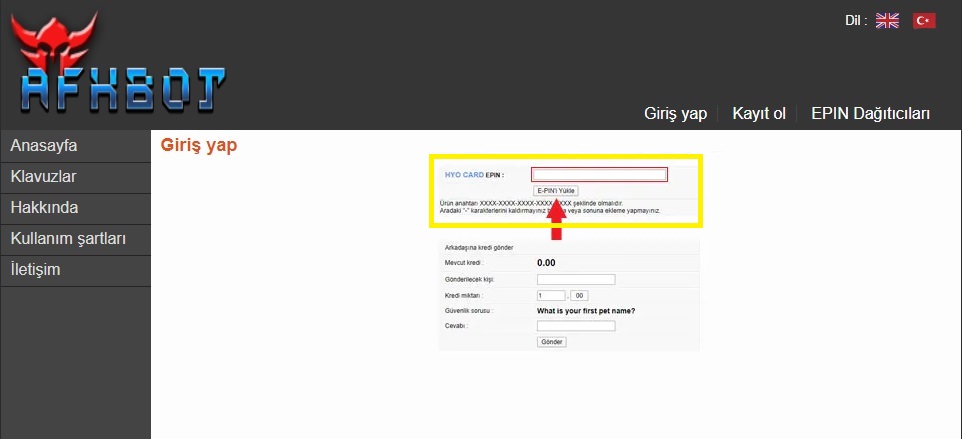
• Redemption steps, interface updates, and payment methods for the AfkBot platform may change over time.
• It is recommended to always follow the official AfkBot website for the most up-to-date guide and announcements.
💻 AfkBot Usage Requirements
| Component | Requirement / Detail |
|---|---|
| Operating System | Windows 7 / 8 / 10 / 11 (64-bit) |
| Account Type | AfkBot User Account |
| Internet Connection | Active and Stable Internet Connection |
❓ Frequently Asked Questions
Q: Where can I find the AfkBot E-Pin code I purchased?
A: Once your payment is approved, your code is instantly displayed under the My Account → My Orders section on Hipopotamya.Com.
Q: How long does it take for my redeemed credits to be added to my account?
A: Immediately after clicking the "Redeem E-PIN" button, your credit/duration will be credited to your AfkBot account instantly.
AfkBot Credit: What is & How to Buy / Redeem It?
Credits used on the AfkBot platform are e-pin license codes used to define your bot usage duration and benefit from automated game assistant features.
🛒 1) Purchasing AfkBot Credits via Hipopotamya.Com
- After logging into our site Hipopotamya.Com, type "AfkBot" in the search bar to go to the relevant category.
- Select the AfkBot Credit / Duration package that fits your needs, add it to your cart, and complete your payment.
- Once your payment is confirmed, your AfkBot E-Pin code will be displayed instantly under the My Account → My Orders tab.
- Stock Status Warning: In case of temporary out-of-stock situations on our site, you can activate the "Notify Me" option or track current stock updates.
🎮 2) How to Redeem AfkBot Credits?
1) Go to the official AfkBot website at http://www.afkbot.com and click on the "Login" tab.
2) Enter your account credentials and click the "Login" button.
3) Click on the "Load Credit" tab located in your user panel.
4) Enter the E-Pin code you purchased from Hipopotamya.Com accurately into the designated field and click the "Redeem E-PIN" button.
• Redemption steps, interface updates, and payment methods for the AfkBot platform may change over time.
• It is recommended to always follow the official AfkBot website for the most up-to-date guide and announcements.
💻 AfkBot Usage Requirements
| Component | Requirement / Detail |
|---|---|
| Operating System | Windows 7 / 8 / 10 / 11 (64-bit) |
| Account Type | AfkBot User Account |
| Internet Connection | Active and Stable Internet Connection |
❓ Frequently Asked Questions
Q: Where can I find the AfkBot E-Pin code I purchased?
A: Once your payment is approved, your code is instantly displayed under the My Account → My Orders section on Hipopotamya.Com.
Q: How long does it take for my redeemed credits to be added to my account?
A: Immediately after clicking the "Redeem E-PIN" button, your credit/duration will be credited to your AfkBot account instantly.
Information
The reviews in this area are real evaluation comments made by real users who have purchased these products.

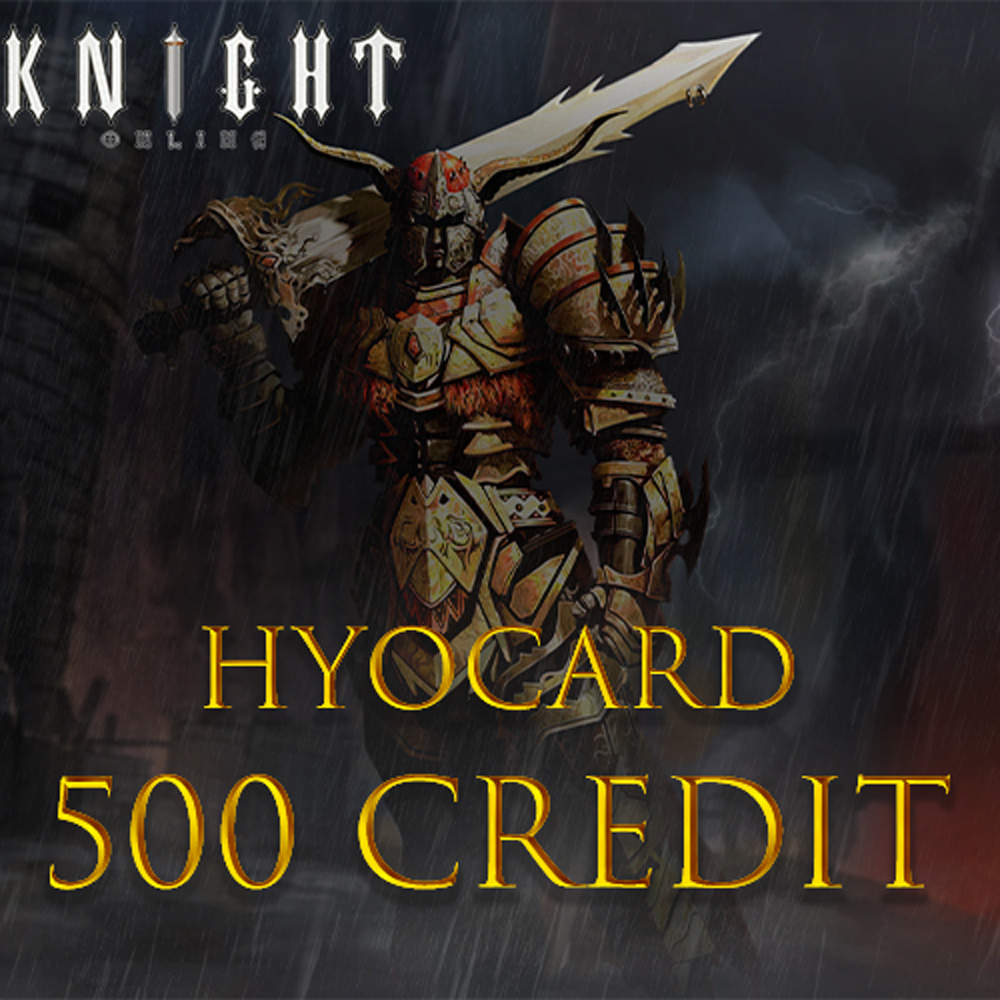
M **** T **** 04-03-2024, 18:44 (2 years ago)
Her zaman ki gibi hızlı güvenilir!